
This is an alert
docs
🔧 Features TestPage Properties
| modified | Saturday 9 May 2026 |
|---|
Edited: Saturday 9 May 2026
Headline 
Computer science is the study of computation, automation, and information. Computer science spans theoretical disciplines (such as algorithms, theory of computation, information theory, and automation) to practical disciplines (including the design and implementation of hardware and software). Computer science is generally considered an area of academic research and is distinct from computer programming.
Integrations 
- Generates RSS feed
- Generates ActivityPub Outbox stream
- Generates Sitemap for search engines
- Disqus comments
- Encrypt files with GPG
Custom theme 
To override any xlog template :
- Create a
themedirectory inside your knowledge base directory - Create a file with the same name of the template you need to override with the new template
- Running xlog will load all template files then read
themeto override any previously defined theme
For example, xlog has templates defined inside templates/ one of them is pages.html which display a list of pages. to override it you can:
- Create file
theme/pages.htmlwith the new Go template content.
Banner Image 
- If the page starts with an image it’ll be used as a banner
Front matter 
- If the page starts with a frontmatter YAML object it’ll be added to the page properties
titleattribute will replace the page title (that is the filename by default)
Styling text 
| Style | code | example |
|---|---|---|
| Bold | ** |
Bold |
| Bold | __ |
Bold |
| Italic | * |
Italic |
| Italic | _ |
italic |
| Strikethrough | ~~ |
|
| Subscript | <sub> |
X2 |
| Superscript | <sup> |
X2 |
| Auto-linking page names | Just write the page name | index, 1/3 Features Test |
| Explicit linking | [text](url) |
Emad Elsaid |
| Wiki-style linking | [[Page Name]] |
index, Features Test |
| Shorting Long URLs: | https://en.wikipedia.org/wiki/… | |
| Emoji | :EMOJICODE: |
🔧 |
| Detect date | DD-MM-YYYY |
1 January 2023 |
| Detect hashtag | # |
Testing |
| Foot note | [^1] |
1 |
| Typography replacement | ' " -- ... << >> |
‘hello’, “hello”, –, …, «, » |
| Inline MathJax with | $ |
\(ax^2 + bx + c = 0\) |
| Inline MathJax with | $$ |
\(ax^2 + bx + c = 0\) |
Date 
- Dates are recognized in your markdown without extra syntax. for example
1-January-2023shows as a link 1 January 2023 - Dates become links to a page that lists all pages with this date. For example the date in the previous line links to a page that has a list of all pages mentioning 1st of Jan 2023.
- The navigation bar has a link to “Calendar” which shows all months that include pages with dates.
So you can create a page every day like a diary or agenda, write the date in it and it’ll show up in the calendar.
Also you can use a date as due date for a todo, and you can check the calendar for upcoming due dates.
Blocks 
Quote using > 
Computer science is the study of computation, automation, and information.
Code using “```” 
fmt.Println("hello world")
Code using “```” and language name “```go” 
1fmt.Println("Hello World")
LiveCodes Interactive Playgrounds 
Interactive React component:
Loading playground...
Interactive Python code (only shows Python tab, no HTML/CSS):
Loading playground...
Interactive JavaScript with console open and custom height:
Loading playground...
Light theme example:
Loading playground...
MathJax Block with $$ 
\[\vec{\nabla} \times \vec{F} = \left( \frac{\partial F_z}{\partial y} - \frac{\partial F_y}{\partial z} \right) \mathbf{i} + \left( \frac{\partial F_x}{\partial z} - \frac{\partial F_z}{\partial x} \right) \mathbf{j} + \left( \frac{\partial F_y}{\partial x} - \frac{\partial F_x}{\partial y} \right) \mathbf{k} \]
Image using : 

Auto-convert image URL to an image 

Preview URL if in a line 
 https://www.emadelsaid.com/Why I became a software developer/ Pyramids of Giza, Cairo, Egypt In my teen years I mostly liked two things, Drawing and Computers. I used to get high grades in mostly everything, even the subjects I didn t like like English and math
 Custom blocks 
- xlog
extensions/blocks/templateshas a set of blocks - file names represent the block name, and the file content is a Go template that will be executed with the block content parsed as YAML
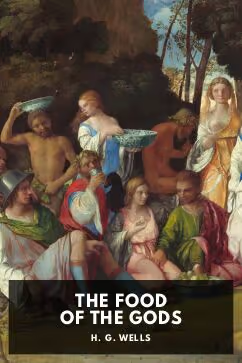
For example extensions/blocks/templates/book.html represents a blocks book
```book
title: The food of the gods
author: H. G. Wells
image: /docs/public/d32ac848ea161f9b384ed2ed81d657e3f150bcd3aa355a75741b95c76b873898.avif
```
Parses the content as YAML and is passed to the book.html file rendering the block to :
Authors:

Developer, Youtuber and casual gamer
Developer, Youtuber and casual gamer
Developer, Youtuber and casual gamer
Developer, Youtuber and casual gamer
Developer, Youtuber and casual gamer
Developer, Youtuber and casual gamer
The previous list each one of them is a block that looks like the following:
```person
name: Emad Elsaid
image: https://www.emadelsaid.com/public/logo.png
website: https://www.emadelsaid.com
byline: Developer, Youtuber and casual gamer
```
Or a Github user. which requires just the name
```github-user
name: emad-elsaid
```
or one-liner. as only one line is needed
/github-user name: emad-elsaid
Unordered Lists 
- With
-
- With
+
- With
*
Ordered Lists 
- With
1. - With
1.again
Task Lists 
- a todo item with
- [ ] - a done item with
- [x] - Mentioning a page shows the number of todos: 1/3 Features Test
Images in one paragraph rendered in columns 
Shortcode 
In a single line with /SHORTCODE:
Mermaid Graphs 
erDiagram
    CUSTOMER ||--o{ ORDER : places
    ORDER ||--|{ LINE-ITEM : contains
    CUSTOMER }|..|{ DELIVERY-ADDRESS : uses
gantt
    title A Gantt Diagram
    dateFormat  YYYY-MM-DD
    section Section
    A task           :a1, 2014-01-01, 30d
    Another task     :after a1  , 20d
    section Another
    Task in sec      :2014-01-12  , 12d
    another task      : 24d
Embed another page 
Page: header-particles in this case doesn't existTables 
Regular markdown table:
| Heading1 | Heading2 |
|---|---|
| Value 1.1 | Value 1.2 |
| Value 2.1 | Value 2.2 |
| Value 3.1 | Value 3.2 |
SQL Queries on Large Tables 
Tables with 100+ rows automatically enable SQL querying. A query interface appears above the table,
allowing you to filter and analyze data using standard SQL syntax. The table is accessible as input.
Example queries:
1SELECT * FROM input WHERE Age > 30 ORDER BY Name
2SELECT Name, City FROM input WHERE City = 'London'
3SELECT City, COUNT(*) as Count FROM input GROUP BY City
Demo table with 101 records:
| ID | Name | Age | City |
|---|---|---|---|
| 1 | Alice Johnson | 28 | London |
| 2 | Bob Smith | 34 | Paris |
| 3 | Charlie Brown | 45 | Berlin |
| 4 | Diana Prince | 31 | Madrid |
| 5 | Edward Norton | 29 | Rome |
| 6 | Fiona Apple | 38 | Vienna |
| 7 | George Martin | 42 | Prague |
| 8 | Hannah Baker | 26 | Amsterdam |
| 9 | Ian McKellen | 55 | Brussels |
| 10 | Julia Roberts | 33 | Dublin |
| 11 | Kevin Spacey | 47 | Copenhagen |
| 12 | Laura Palmer | 24 | Stockholm |
| 13 | Michael Scott | 41 | Oslo |
| 14 | Nancy Drew | 27 | Helsinki |
| 15 | Oliver Twist | 36 | Warsaw |
| 16 | Patricia Highsmith | 52 | Budapest |
| 17 | Quentin Blake | 39 | Athens |
| 18 | Rachel Green | 30 | Lisbon |
| 19 | Steven King | 48 | London |
| 20 | Tina Fey | 35 | Paris |
| 21 | Uma Thurman | 44 | Berlin |
| 22 | Victor Hugo | 50 | Madrid |
| 23 | Wendy Williams | 32 | Rome |
| 24 | Xavier Dolan | 29 | Vienna |
| 25 | Yara Shahidi | 25 | Prague |
| 26 | Zachary Levi | 37 | Amsterdam |
| 27 | Amy Adams | 43 | Brussels |
| 28 | Benjamin Button | 28 | Dublin |
| 29 | Catherine Zeta | 46 | Copenhagen |
| 30 | Daniel Craig | 51 | Stockholm |
| 31 | Emma Stone | 31 | Oslo |
| 32 | Frank Ocean | 33 | Helsinki |
| 33 | Grace Kelly | 40 | Warsaw |
| 34 | Henry Cavill | 38 | Budapest |
| 35 | Isabelle Huppert | 54 | Athens |
| 36 | James Bond | 42 | Lisbon |
| 37 | Kate Winslet | 45 | London |
| 38 | Leonardo DiCaprio | 47 | Paris |
| 39 | Marion Cotillard | 44 | Berlin |
| 40 | Natalie Portman | 40 | Madrid |
| 41 | Oscar Isaac | 42 | Rome |
| 42 | Penelope Cruz | 47 | Vienna |
| 43 | Quinn Fabray | 26 | Prague |
| 44 | Ryan Gosling | 41 | Amsterdam |
| 45 | Scarlett Johansson | 37 | Brussels |
| 46 | Tom Hanks | 65 | Dublin |
| 47 | Ursula Andress | 58 | Copenhagen |
| 48 | Viola Davis | 56 | Stockholm |
| 49 | Will Smith | 53 | Oslo |
| 50 | Xena Warrior | 35 | Helsinki |
| 51 | Yvonne Strahovski | 39 | Warsaw |
| 52 | Zoe Saldana | 43 | Budapest |
| 53 | Aaron Paul | 42 | Athens |
| 54 | Bryce Dallas | 40 | Lisbon |
| 55 | Chris Hemsworth | 38 | London |
| 56 | Daisy Ridley | 30 | Paris |
| 57 | Ethan Hawke | 51 | Berlin |
| 58 | Felicity Jones | 38 | Madrid |
| 59 | Gary Oldman | 64 | Rome |
| 60 | Helen Mirren | 76 | Vienna |
| 61 | Idris Elba | 49 | Prague |
| 62 | Jennifer Lawrence | 31 | Amsterdam |
| 63 | Kit Harington | 35 | Brussels |
| 64 | Lupita Nyongo | 39 | Dublin |
| 65 | Matt Damon | 51 | Copenhagen |
| 66 | Nicole Kidman | 55 | Stockholm |
| 67 | Owen Wilson | 53 | Oslo |
| 68 | Priyanka Chopra | 40 | Helsinki |
| 69 | Quincy Jones | 89 | Warsaw |
| 70 | Reese Witherspoon | 46 | Budapest |
| 71 | Sam Worthington | 46 | Athens |
| 72 | Tilda Swinton | 61 | Lisbon |
| 73 | Uzo Aduba | 41 | London |
| 74 | Vin Diesel | 55 | Paris |
| 75 | Winona Ryder | 51 | Berlin |
| 76 | Xavier Samuel | 39 | Madrid |
| 77 | Yahya Abdul | 46 | Rome |
| 78 | Zendaya Coleman | 26 | Vienna |
| 79 | Antonio Banderas | 62 | Prague |
| 80 | Bella Hadid | 26 | Amsterdam |
| 81 | Chadwick Boseman | 43 | Brussels |
| 82 | Demi Moore | 60 | Dublin |
| 83 | Eddie Redmayne | 41 | Copenhagen |
| 84 | Florence Pugh | 27 | Stockholm |
| 85 | Gal Gadot | 37 | Oslo |
| 86 | Hugh Jackman | 54 | Helsinki |
| 87 | Irina Shayk | 37 | Warsaw |
| 88 | Jake Gyllenhaal | 42 | Budapest |
| 89 | Keira Knightley | 37 | Athens |
| 90 | Liam Neeson | 70 | Lisbon |
| 91 | Margot Robbie | 32 | London |
| 92 | Naomi Watts | 54 | Paris |
| 93 | Orlando Bloom | 46 | Berlin |
| 94 | Pierce Brosnan | 69 | Madrid |
| 95 | Queen Latifah | 53 | Rome |
| 96 | Robert Downey | 57 | Vienna |
| 97 | Sophie Turner | 27 | Prague |
| 98 | Timothee Chalamet | 27 | Amsterdam |
| 99 | Uma Karuna | 34 | Brussels |
| 100 | Viggo Mortensen | 64 | Dublin |
| 101 | Willem Dafoe | 67 | Copenhagen |
Horizontal Rule 
Using ---
Links preview 
Tweet link
X link
Youtube link
Facebook link
Giphy link

-
More details about a sentence or a reference citation using
[^1]:↩︎